
Video Innovations
Dominant speaker detection
Improve video call quality and clarity by ensuring your software accurately identifies and highlights dominant speakers. Our dominant speaker detection metrics help maintain clear and engaging conversations, even in challenging network conditions, making sure visuals align with audio cues.

Trusted by Startups, SMEs and Enterprise businesses worldwide





What is it
Ensure clear and focused communication
Dominant speaker detection is a feature in video communication software that identifies and highlights the person actively speaking during a call. Poorly functioning detection can disrupt conversations and frustrate users, leading to userbase loss.
Audio Analysis
Advanced algorithms monitor and analyze voice patterns to detect active speakers in real-time during video calls.
Visual Synchronization
The system automatically aligns audio detection with video feeds to highlight the current speaker on the screen.
Smart Switching
Intelligent transitions ensure smooth changes between speakers while filtering out background noise and brief interruptions.


How We Test Dominant Speaker Detection
Dominant speaker detection is a useful feature in video calling apps because it allows the app to automatically focus on the person who is speaking at any given moment. This can improve...
Read blog post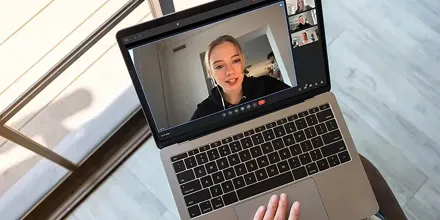
Why is it important
Enable users to communicate more effectively
Dominant speaker detection ensures clear and focused communication during video calls by accurately highlighting the active speaker. Poor performance in this critical feature directly impacts the quality of communication and user satisfaction.
Meeting Clarity
Lack of testing for detection systems can trigger false switches or miss speaker changes entirely, making meetings inefficient and frustrating for participants.
Technical Reliability
Poor detection reliability leads to users losing confidence in your platform, potentially switching to competitors for their virtual communication needs.
How it works
Accurate speaker detection across all conditions
Our dominant speaker detection process involves setting up a controlled environment and running tests under various network conditions and scenarios. This allows us to evaluate the robustness of the dominant speaker detection algorithm.
Setting up controlled scenarios
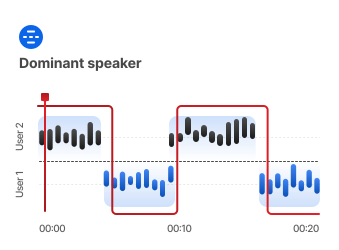
We set up controlled scenarios with users marked by unique color-coded visual markers to indicate if they're speaking, silent, or creating noise during the call.
Embedding audio in video streams
Next, the audio samples are embedded in each user's video stream on separate channels, allowing precise sync between video markers and user actions.
Recording and tracking screen
With the scenarios set up, we record the receiver's screen to monitor which user is highlighted as they speak, helping us verify the app's real-time speaker detection accuracy.
Testing under various conditions
We test under various conditions, like different noise levels, overlapping speech, and fluctuating network quality to evaluate the robustness of the dominant speaker detection algorithm.
Comparing speaker timelines
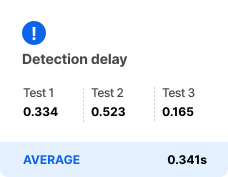
Finally, we compare who should be on screen against who actually appears, assessing how quickly and accurately the app detects and switches to the dominant speaker.
Deliver the quality your users deserve!
Join world-class companies in paving the way for quality audio and video experiences.